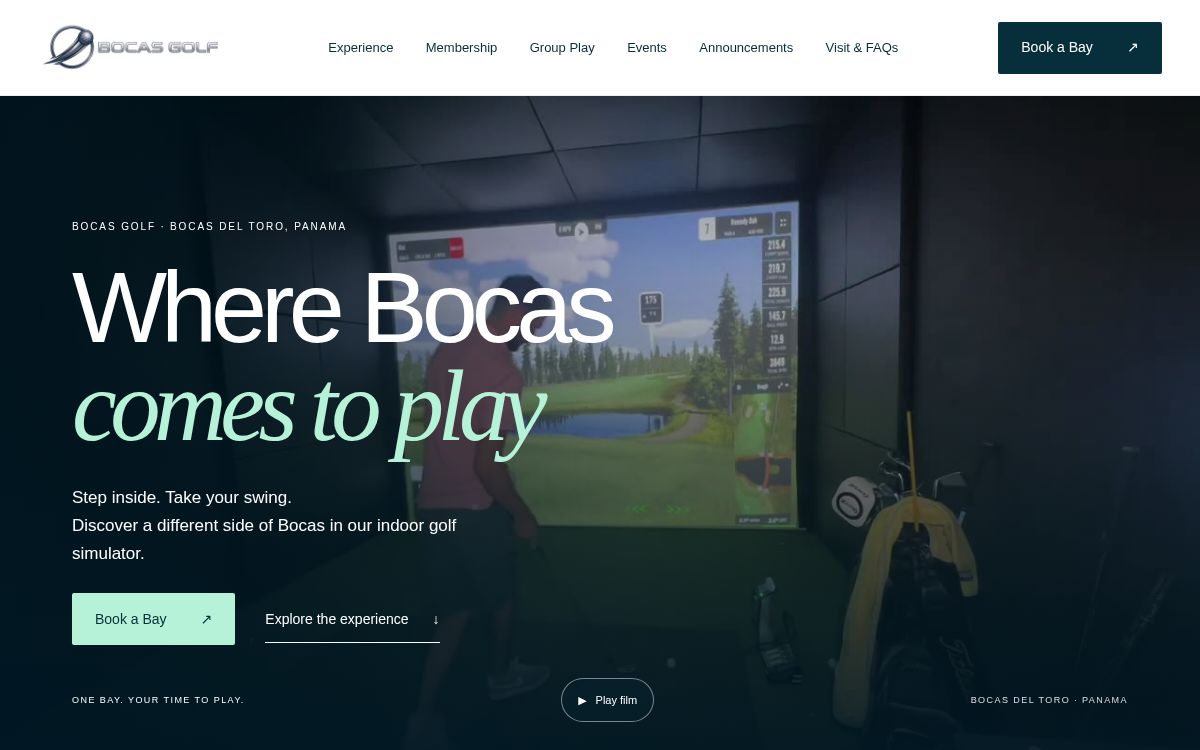
For Bocas Golf, MSQ2I built the public website and the custom software behind the customer journey: reservations, memberships, payments, group bookings, events, and announcements.
PUBLIC WEBSITECUSTOM BOOKING PLATFORMMEMBERSHIP OPERATIONSLAUNCHED NOVEMBER 2026
THE REAL PROJECT
A website was only the front door.
Bocas Golf needed customers to discover the venue, check when a simulator bay was available, choose the right way to play, and complete a booking. The business also needed a practical way to support recurring memberships, prepaid hours, and group events.
MSQ2I designed the public experience and built the connected booking and membership workflows behind it. That meant working through the operating rules—availability, session length, member entitlements, payment status, and confirmation—alongside the page design.
01 / CUSTOMER BOOKING FLOWS
One calendar. Three ways to play.
Visitors, members, and groups enter through different booking paths, each with the rules that apply to them.
01 / GUEST
Book a session.
Guests choose a date, session length, and available start time without needing a paid membership. The calendar checks availability before a reservation is held; confirmation follows verified payment.
One to twelve hour session choices
Availability shown in Bocas local time
Same-day and alternate payment requests can go to the venue
02 / MEMBER
Use the membership.
Members sign in to reserve eligible sessions or purchase additional play time. The booking flow uses the membership or prepaid-hour balance and applies the active booking limits.
$150 monthly membership option
Four prepaid hours for $100
Additional member hours for $25 each
Up to two active monthly sessions, each up to two hours
03 / GROUP
Bring everyone.
A dedicated group-event path gives parties and organizations a way to plan longer sessions, celebrations, and watch parties, with event arrangements confirmed by the venue.
Separate group booking intent
Availability checked through the same calendar
WhatsApp and phone support for event details
02 / THE OPERATING SYSTEM
Memberships have rules.
The software has to carry those rules through the customer and office experience.
01
Accounts and entitlements
Member accounts connect a plan or prepaid package to booking access and remaining hours, so the customer can use what they purchased.
02
Payments and renewal operations
Stripe supports membership and package payments. The recurring membership workflow includes a scheduled advance renewal invoice notice, so members know a renewal is coming.
03
Office-side membership view
The admin view brings member accounts, membership plans, payment status, and remaining hours together so the operator can review the membership program without searching across separate screens.
04
Availability and confirmation
Availability is checked again before time is held. A booking is confirmed only after the payment or membership booking is verified.
03 / EVENTS & ANNOUNCEMENTS
Pages that support the real schedule.
Events and announcements are dedicated parts of the Bocas Golf site—not just paragraphs buried on the homepage. The event page gives upcoming activities a clear destination, while announcements provide a place for timely news and community updates. The homepage can surface the latest event information as it is published.
The site also has a separate group-events page, so a birthday gathering, watch party, or team outing has a purpose-built path into the booking system.